Storage Guide
A practical, step-by-step walkthrough to create, attach, detach, and manage block storage volumes. This guide complements the overview at Storage.
1) Create a Volume
- Open the dashboard and go to Menu → Block Storage → Volumes.
- Click "Create Volume".
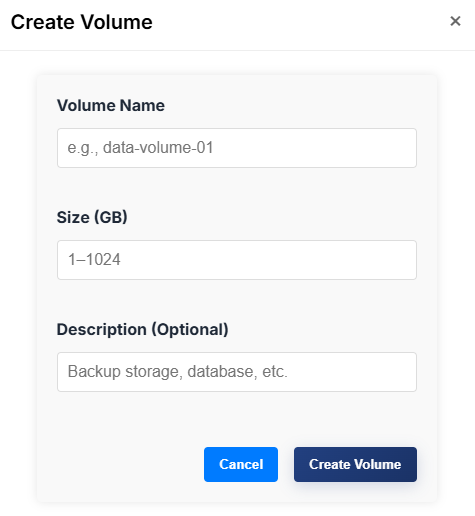
- Fill out the form:
- Name (e.g.,
data-volume-01) - Size (e.g.,
20GB) - Optional description
- Name (e.g.,
- Submit to create the volume.
Tips:
- Choose a size that fits current needs; resizing may require platform support and maintenance windows.
2) Attach the Volume to an Instance
- In the Storage list, find your volume.
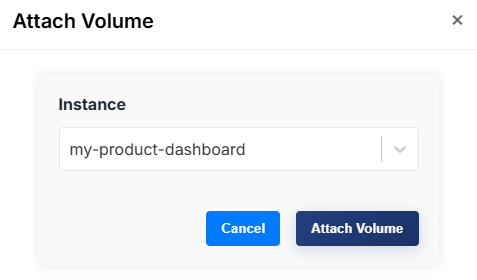
- From Actions, choose "Attach to Instance".

- Select the instance to attach to.
- Confirm.
After attachment, log in to the instance and format/mount the block device. Example for Linux (replace /dev/vdb with your device):
# Create filesystem (only once per new volume)
sudo mkfs.ext4 /dev/vdb

# Create a mount point
sudo mkdir -p /mnt/data

# Mount the volume
sudo mount /dev/vdb /mnt/data

# Optional: add to /etc/fstab for persistence
# Find the UUID and add an entry
sudo blkid /dev/vdb
3) Detach the Volume
- Unmount the device from the OS, if mounted, to avoid data loss.
- In the dashboard, open Services → Storage.
- For the target volume, select "Detach Volume" from Actions.
- Confirm detachment.

4) Delete the Volume
Only delete volumes you no longer need. Deleting is irreversible.
- Ensure the volume is detached.
- From Actions, choose "Delete Volume" and confirm.
Snapshots and Backups
- Snapshots: Create a point-in-time copy of a volume before risky operations. Restore as needed. See Snapshots.
- Backups: Schedule periodic backups for disaster recovery. See Backups.
Troubleshooting
- Attach/Detach stuck:
- Ensure the instance OS has unmounted the device and no processes are using it.
- Try again after a short delay; check notifications for progress.
- Volume not visible in OS:
- Verify the device path (e.g., /dev/vdb) and refresh
lsblk. - Check that the attach operation completed successfully.
- Verify the device path (e.g., /dev/vdb) and refresh
Related
- Storage Overview → About Storage
- Compute → Launch instances
- Security Groups → Firewall rules